
Closte customers began reporting on July 18, 2026 that the hosting company’s primary domain, account access, and related services were unavailable. Some customers said independently mapped WordPress sites remained online, while others reported missing CDN resources, inaccessible staging sites, or broader outages.
Our own tests found that closte.com and www.closte.com returned NXDOMAIN, meaning DNS resolvers could not find an active record for the domain. An ICANN registration lookup showed the domain in clientHold status. According to ICANN’s official explanation of EPP status codes, clientHold tells the registry not to activate the domain in DNS, and the domain consequently will not resolve.
That explains the technical symptom. It does not establish why the hold was applied, whether customer data is affected, or when service will return.
The most important distinction: we can verify that the domain was not resolving and that ICANN reported
clientHold. We cannot responsibly claim that Closte permanently closed, failed to pay a bill, was hacked, or lost customer data without direct confirmation.
Update — July 28, 2026
Since this article was originally published, Closte appears to have entered a partial recovery state. In our July 28 checks, closte.com resolved to 107.178.246.156, and app.closte.com resolved to 34.95.115.200. When certificate validation was bypassed, closte.com returned HTTP 200 and app.closte.com redirected to the login screen.
However, normal HTTPS requests failed because the visible wildcard certificate for *.closte.com had expired. The certificate we observed was issued by Sectigo and listed an expiration of July 27, 2026 at 23:59:59 GMT. That is consistent with community reports that some users can reach the Closte dashboard only after accepting a browser security warning.
A July 28 WHOIS.com lookup for closte.com listed the domain as updated on July 28, 2026 and showed client transfer prohibited, but it no longer showed client hold in the visible status list at the time we checked.
The recovery still appears incomplete. status.closte.com did not resolve during our July 28 check, and we have not located an official Closte incident report, postmortem, or root-cause explanation. Treat the dashboard becoming reachable as an opportunity to export backups and verify account data, not as proof that every dependent service has recovered.
Update - August 19, 2026
The partial recovery observed on July 28 does not appear stable in our latest checks. At approximately 3:20 AM CDT on August 19, closte.com, app.closte.com, and status.closte.com all returned NXDOMAIN in DNS tests, meaning those hostnames were not resolving through our resolver at the time checked. HTTPS requests to closte.com and app.closte.com also failed because the hostnames could not be resolved.
A WHOIS.com lookup for closte.com viewed on August 19 listed the domain status as client hold and client transfer prohibited, with the record updated on August 12, 2026. That supports the DNS-level symptom, but it still does not explain why the hold exists, whether Closte intends to restore service, whether customer data is affected, or whether individual customer websites remain reachable through their own domains.
Third-party articles and community reports remain useful operational context, especially for customers trying to recover access, verify backups, or understand possible workarounds. They should not be treated as official Closte status. Without an official incident report or customer notice from Closte, the cause, business status, customer-data status, and platform-wide impact remain unknown.
If you regained access during the earlier partial recovery window, treat this renewed DNS failure as a reminder to verify that your backups, DNS records, database exports, files, CDN configuration, forms, email, and scheduled jobs are stored somewhere you control. If you have not yet been able to export a full site copy, avoid destructive changes and document every working access path before attempting a migration.
Current situation at a glance
What changed
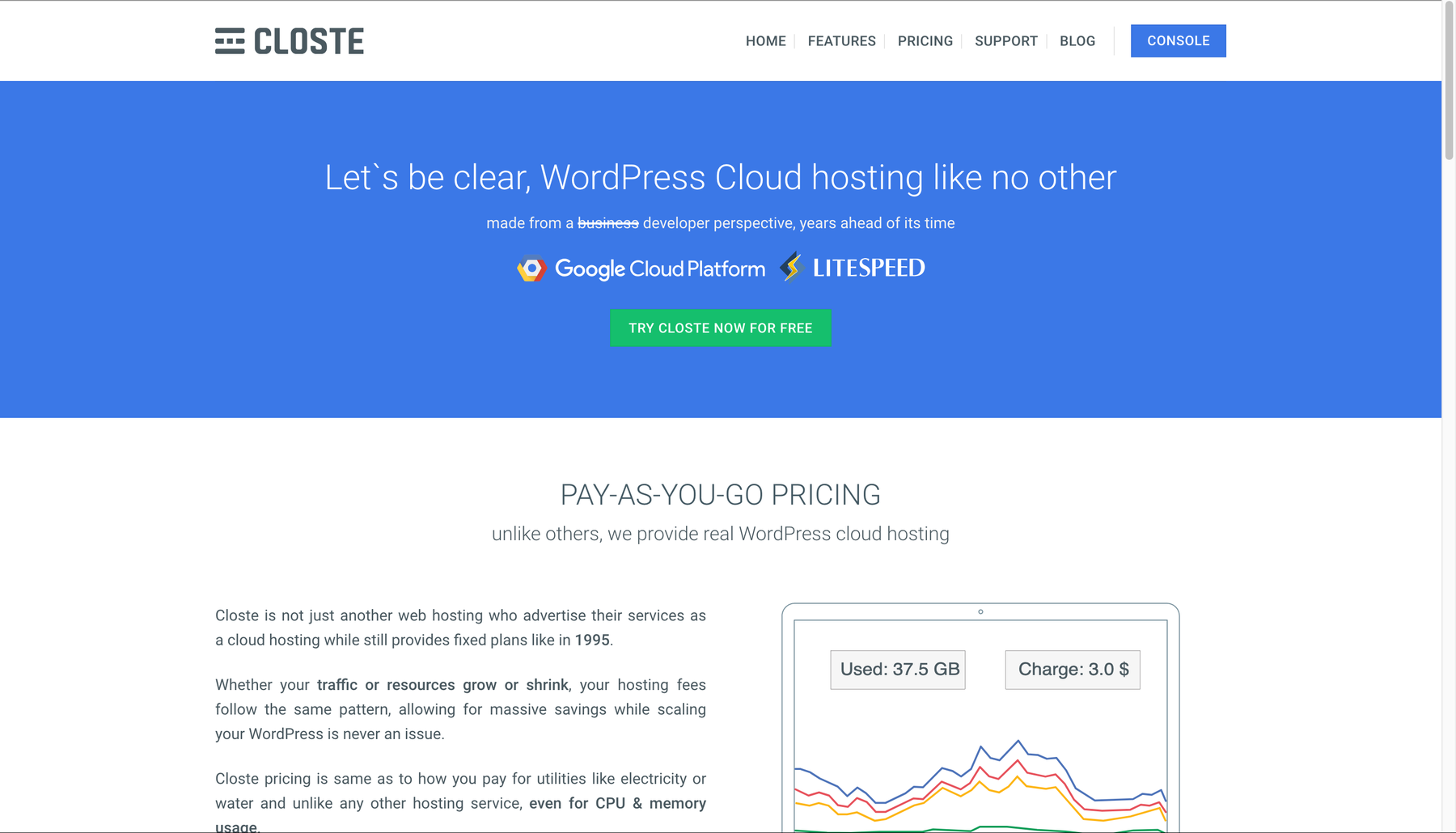
Closte’s website was available in an archived capture dated June 22, 2026. The archived homepage described a WordPress cloud hosting service powered by Google Cloud Platform and LiteSpeed.
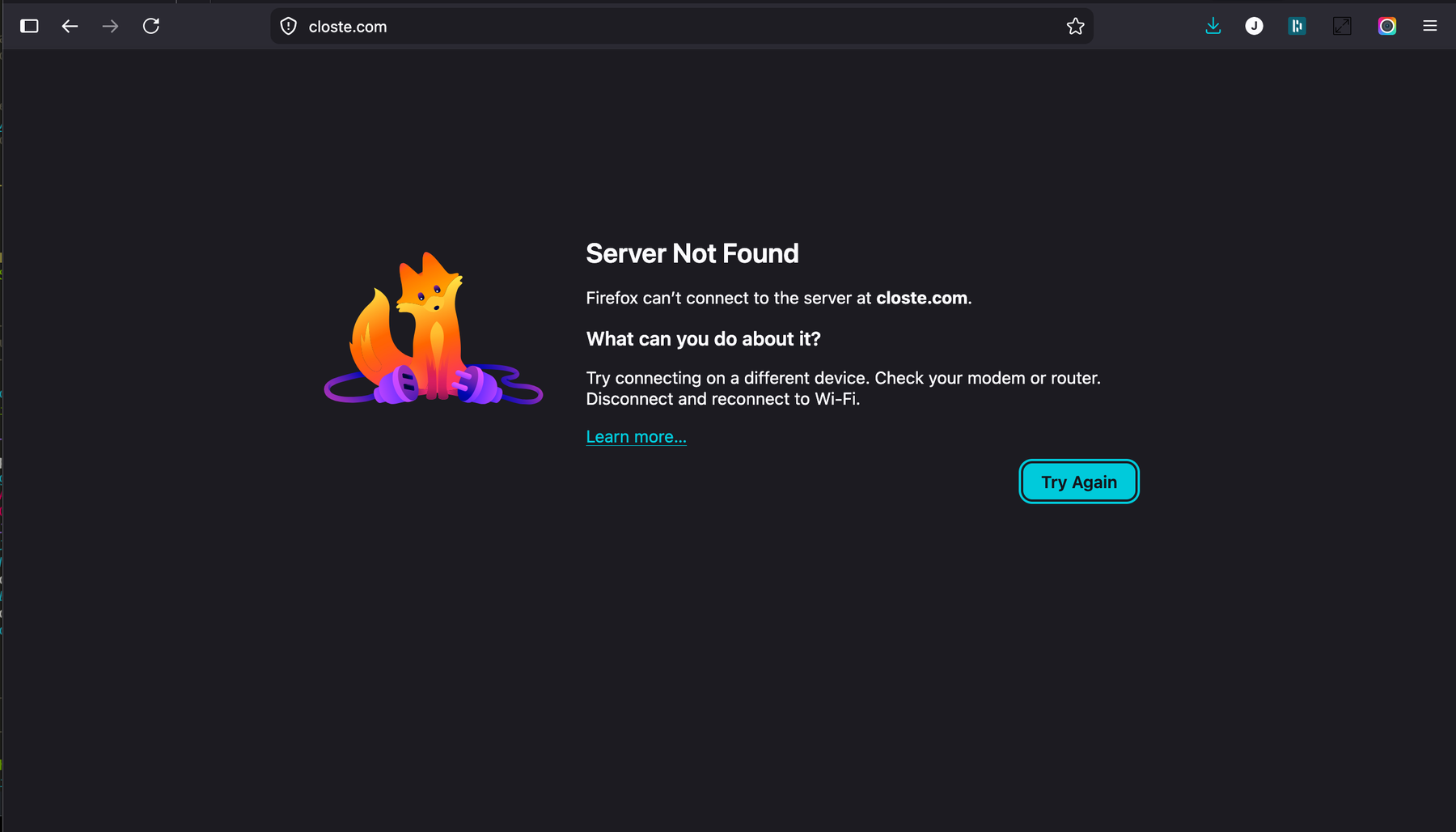
When we tested the same domain on July 18, Firefox returned “Server Not Found.”
What we verified
ICANN showed clientHold
The registration record displayed clientHold along with transfer-protection statuses. The domain registration itself was not shown as expired; the record listed a registry expiration date in 2029. That makes “the domain simply expired” an unsupported explanation based on the evidence available to us.
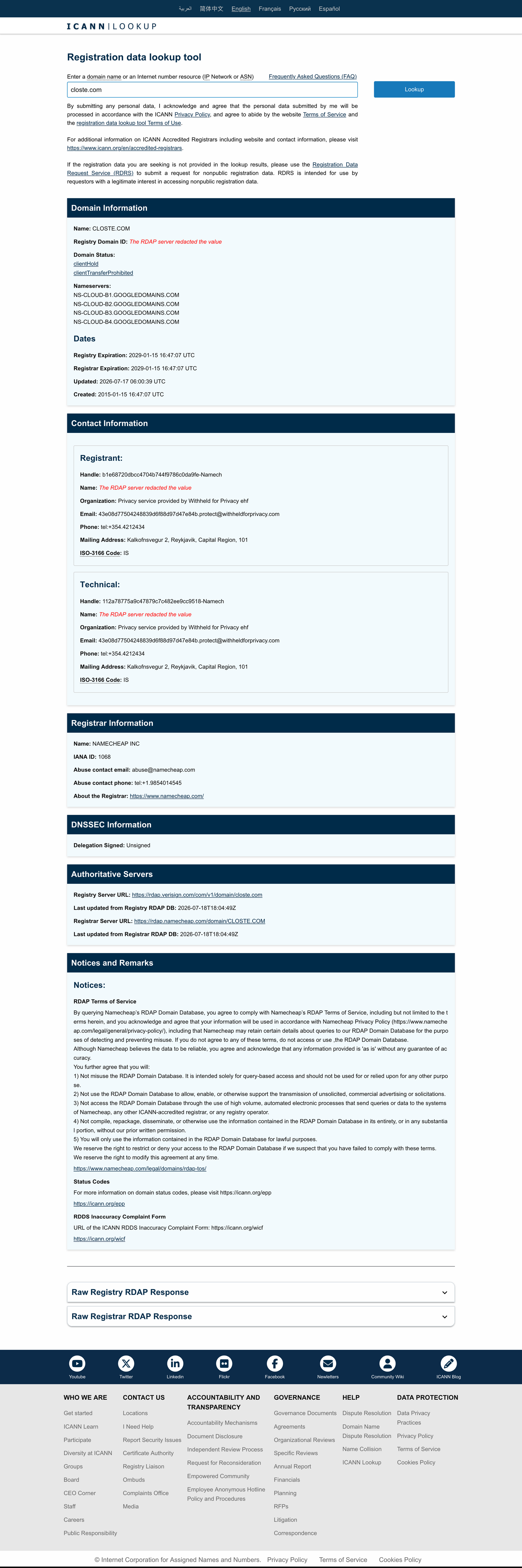
A clientHold status can be applied for several reasons. ICANN gives examples that include disputes, nonpayment, or a domain approaching deletion, while registrars may also use holds for verification, abuse, fraud, security, or policy matters. The status alone does not identify which explanation applies here.
Independent DNS checks returned NXDOMAIN
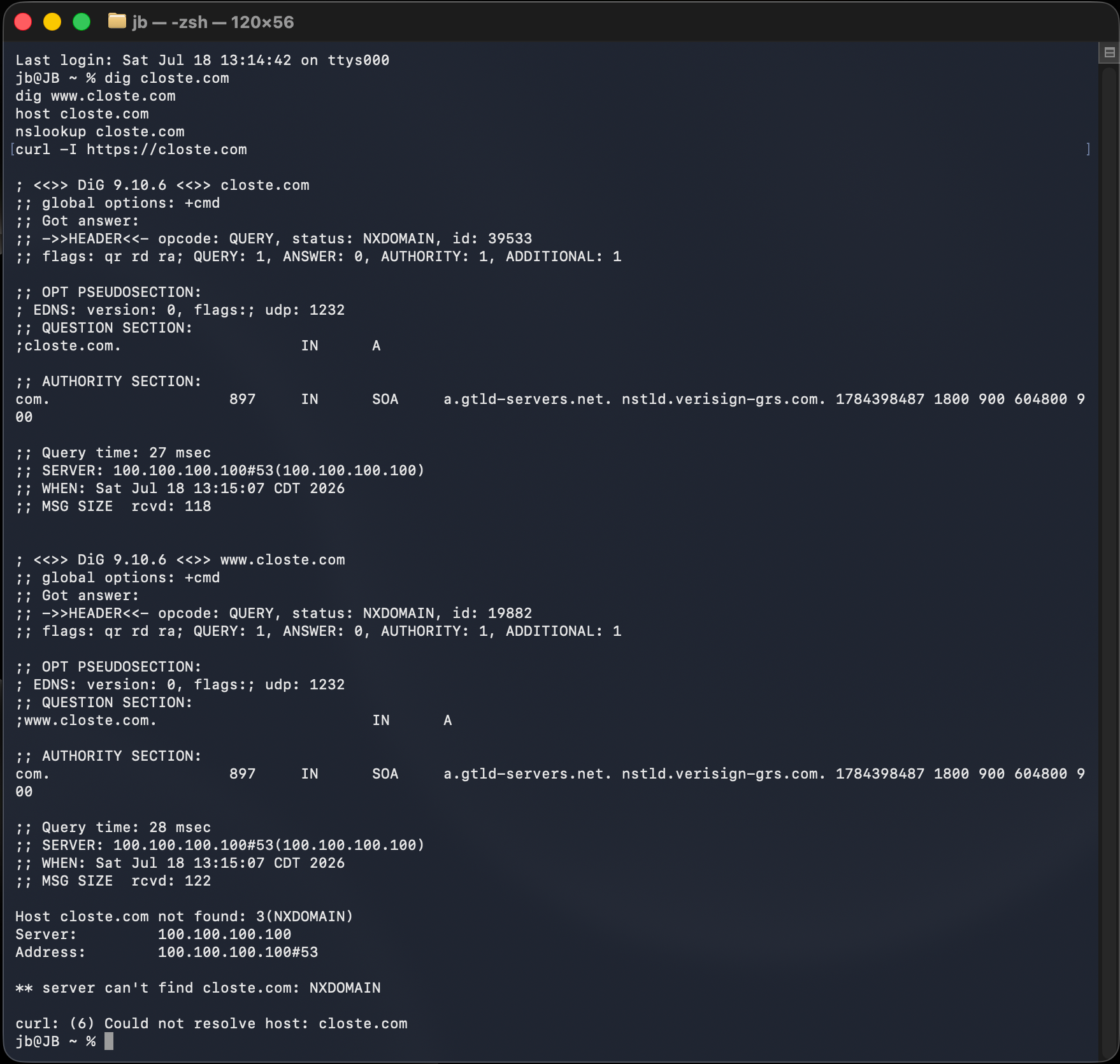
We tested the domain using dig, host, nslookup, and curl. Both the apex domain and www returned NXDOMAIN, and curl could not resolve the host.
$ dig closte.com
status: NXDOMAIN
ANSWER: 0

$ dig www.closte.com
status: NXDOMAIN
ANSWER: 0

$ host closte.com
Host closte.com not found: 3(NXDOMAIN)

$ nslookup closte.com
** server can't find closte.com: NXDOMAIN

$ curl -I https://closte.com
curl: (6) Could not resolve host: closte.com
Closte account and status subdomains were also unavailable
We separately tested my.closte.com and status.closte.com; both produced the same browser-level server-not-found behavior. Because the parent domain was absent from DNS, subdomains relying on that zone would also be expected to fail.
Customers reported mixed effects
The initial r/WordPress discussion included reports that some customer sites and WordPress admin areas remained accessible, while Closte-managed resources did not. One participant reported that disabling CDN routing and clearing caches restored normal frontend behavior in their particular configuration.
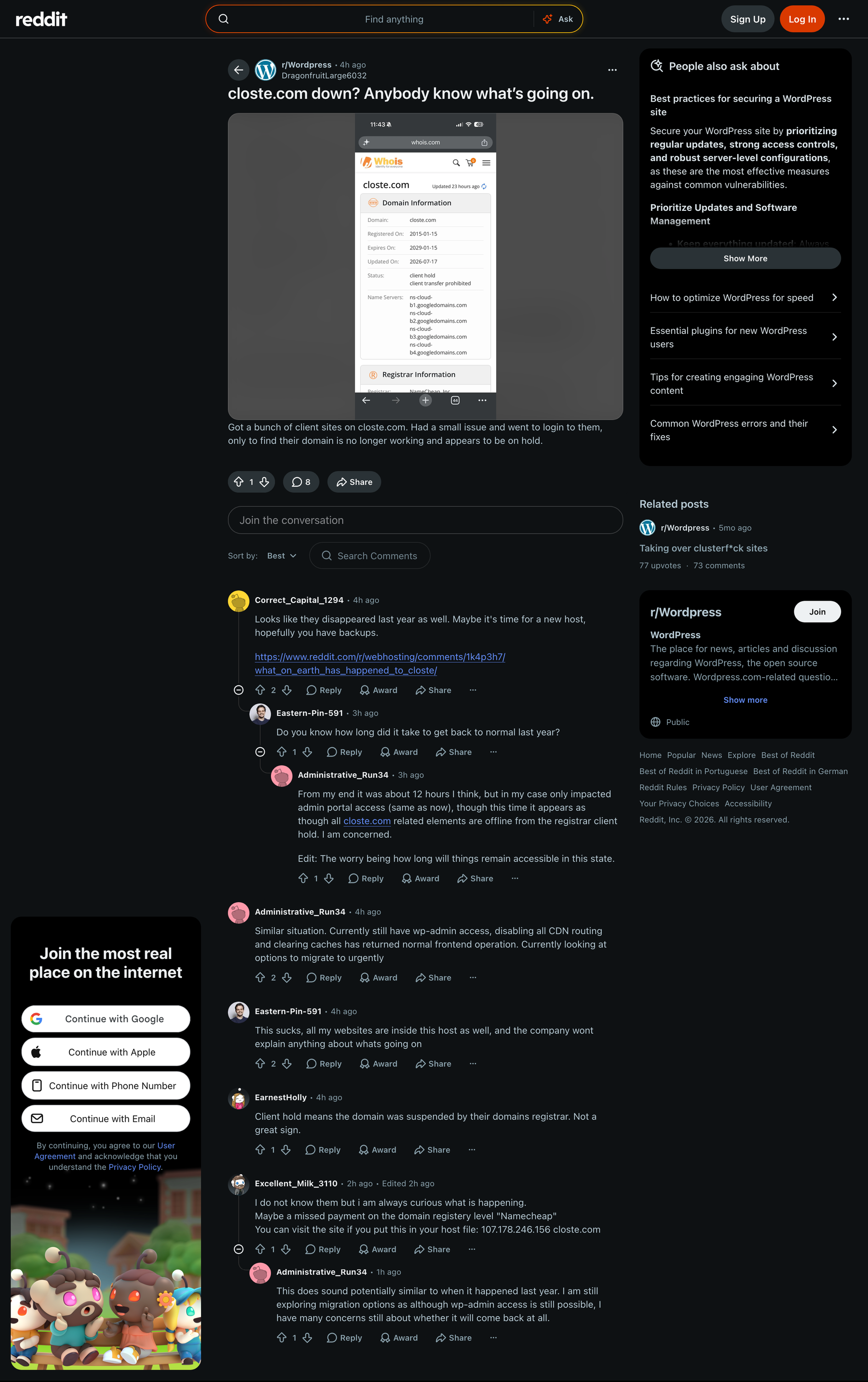
Those reports are useful operational clues, but they are not universal fixes. A site’s behavior depends on how its domain, CDN, origin, assets, and staging environment were configured.
What we do not know
At publication time, we had not found a verified public statement from Closte or its registrar that explained:
- why
clientHoldwas applied; - whether the underlying hosting infrastructure remained healthy;
- whether any customer files, databases, or backups were affected;
- whether support requests were being received through another channel;
- when the domain or control panel would return;
- whether customers should take any Closte-specific recovery action.
The absence of an accessible status page makes it harder for customers to distinguish a domain-level incident from a broader platform failure. Until an official update appears, treat confident explanations circulating in forums as unverified.
This appears similar to a previous Closte incident
A Reddit discussion from April 21, 2025 described a remarkably similar pattern: the Closte domain had no DNS records, the CDN and Closte-hosted staging sites were unavailable, and some custom-domain client sites continued working. Users later reported that service returned.
That history is relevant context, but it does not establish the cause or likely duration of the July 2026 incident.
Latest community reports and recovery guidance
As of July 28, community reports suggested that some customers could access the Closte control panel again, but might need to accept a browser certificate warning first. In our August 19 checks, the primary domain, account console hostname, and status hostname were not resolving again. Because these observations are point-in-time checks and community reports rather than an official Closte update, treat them as operational clues rather than a confirmed platform-wide status.
If you regain access to the dashboard, use the window carefully:
- create a complete off-platform backup;
- export the database and download
wp-content; - document server, SFTP, database, CDN, SSL, and DNS settings;
- confirm whether the site, WordPress admin, staging environment, scheduled jobs, forms, email, and webhooks all work;
- avoid changing DNS until a replacement environment is tested;
- remove any temporary hosts-file entries after a migration or recovery path is complete.
If a browser warns that the Closte certificate is expired, slow down before entering credentials. Confirm the exact hostname, use a password manager so credentials are not typed into a lookalike domain, and avoid reusing passwords across services. If you must proceed in order to export a backup, treat that access as temporary and rotate credentials once the site is secured elsewhere.
What Closte customers should do right now
The goal is to preserve options. Do not make an emergency change that destroys the only working copy of your site.
If your production site is still online
- Create an off-platform backup immediately. Save the database,
wp-content,wp-config.php, uploads, active theme, child theme, and custom plugins. - Verify the backup. An archive that cannot be opened or a database export with no tables is not a recovery plan.
- Document DNS. Capture A, AAAA, CNAME, MX, TXT, and CAA records from your registrar or DNS provider.
- Inventory dependencies. Note CDN hostnames, Closte subdomains, cron jobs, webhooks, transactional email, object storage, and external integrations.
- Avoid destructive edits. Copy the site to a replacement environment before changing or deleting the original.
WordPress administrators who still have /wp-admin/ access may be able to create a backup with a trusted migration tool even when the hosting dashboard is unavailable. Large or complex sites may require server-level access or an existing external backup.
If the site is offline but WordPress admin still works
- Try the admin URL on the site’s own domain.
- Export the database and files before troubleshooting CDN or cache settings.
- Check the browser network panel for failed assets using a
closte.comhostname. - Determine whether the HTML is loading but scripts, styles, images, or fonts are not.
- Do not disable services blindly; record every setting before changing it.
A community member reported that disabling Closte CDN routing helped their site. That is a configuration-specific report, not a guaranteed fix. If CDN routing is involved, confirm where DNS will point and whether the origin accepts direct traffic before making the change.
If both the site and admin are offline
Your recovery path depends on what you already control:
- External backup available: restore it into a clean hosting environment and test before DNS cutover.
- Registrar and DNS access available: preserve all records and lower TTL only when a tested destination exists.
- SSH or SFTP still available: download files and export the database without modifying the original environment.
- No platform access and no external backup: preserve evidence, contact Closte through any known channel, and avoid paying an unknown third party that promises access it cannot prove it has.
A safe emergency migration sequence
- Secure a complete source copy. Files and database must come from the same usable point in time.
- Provision the replacement environment. Match PHP and database requirements before importing.
- Restore and test privately. Use a temporary hostname or hosts-file preview rather than changing public DNS immediately.
- Test critical paths. Forms, login, checkout, search, scheduled tasks, webhooks, and email deserve more attention than the homepage alone.
- Recreate infrastructure settings. SSL, redirects, caching, CDN rules, DNS, cron, mail delivery, and security controls often live outside WordPress.
- Freeze or reconcile content. High-change sites need a final database sync or a short content freeze before cutover.
- Change DNS only after validation. Keep the old environment untouched until the replacement has been observed under real traffic.
- Revoke temporary access. Remove migration accounts and rotate credentials shared during the emergency.
For more background, see our guides to website backups, diagnosing whether a problem is really hosting, and managed WordPress hosting.
Common mistakes to avoid
- Changing nameservers before copying the current DNS zone.
- Assuming an “all-in-one” WordPress backup includes mailboxes or external DNS.
- Deleting the original environment as part of a migration.
- Restoring a months-old backup without checking recent orders, form entries, memberships, or content.
- Giving a stranger your registrar’s primary login instead of creating limited temporary access.
- Treating a working homepage as proof that checkout, cron, email, and integrations work.
- Claiming customer data is lost simply because the provider’s domain does not resolve.
Frequently asked questions
Does clientHold mean Closte has permanently shut down?
No. It means the registrar has instructed the registry not to activate the domain in DNS. It is a serious condition, but it does not by itself describe the cause, duration, or future of the company.
Did the domain expire?
The ICANN record captured on July 18 showed a registry expiration date in 2029. Based on that evidence, ordinary expiration was not established as the cause.
Why can some customer sites still work?
A custom domain may point to infrastructure that remains online even while closte.com itself is removed from DNS. However, assets, CDN routes, staging domains, APIs, control panels, or services tied to Closte hostnames can still fail.
Should I migrate immediately?
Preserve a verified backup immediately. Whether to cut over immediately depends on site availability, business impact, backup quality, and whether you can test a replacement safely. A hurried, untested DNS change can turn a partial incident into a complete outage.
If your dashboard access has returned, use that access to gather backups and configuration details before assuming the incident is over. A login page loading through a certificate warning does not prove that backups, CDN resources, staging sites, cron jobs, forms, or support systems are fully healthy.
Is Best Website offering migration help?
Yes. We are offering a free initial migration assessment for Closte customers affected by this incident. Where a recoverable site copy is available and the migration is a reasonable fit for our managed WordPress hosting, we can coordinate the copy, testing, DNS cutover, SSL, and post-launch checks.
How Best Website can help
Best Website provides managed WordPress hosting with ongoing technical ownership rather than an unmanaged server handoff. That includes backups, monitoring, updates, security, performance review, and a real person responsible for helping when something breaks.
If your Closte-hosted site is currently at risk, contact Best Website with the site’s domain, whether it is still accessible, and what backups or credentials you currently control. If you are unsure whether the issue is hosting, DNS, CDN, forms, email, or a broader operational failure, start with a website audit and technical review so the recovery plan is based on evidence before you make changes.
This article documents tests and public information first gathered on July 18, 2026, with follow-up checks added on July 28 and August 19, 2026. It is not affiliated with Closte. We will revise the status and timeline when verifiable new information becomes available.